|
|
|
|
|
|
| |
|
Review
This review applies to version 1.5
The latest version of this software will soon be reviewed by our
informers.
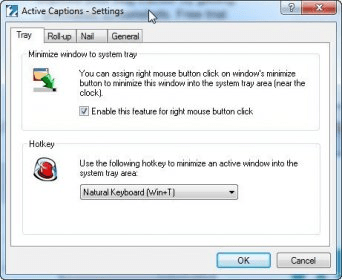
Active Captions allows you to manage windows in a different way. It adds additional features to the windows caption buttons (those three buttons on the right of each window), when you click on the right button of your mouse when pointing to them. For example, right clicking on the minimize button will minimize the active window, but to the system tray. Double clicking on the minimized window will restore it again. If you right click over the maximize/restore caption button it will resize the active window in such a way that only the title bar will be showed. Right-clicking on the Close button will make the active window stay on top of all others. Active Captions will reside as an icon in the system tray. Right clicking over that icon will open a contextual menu, that you can use to adjust Active Captions' settings, such as the assigned hotkeys, enable/disable actions, the language to use (you can download language packages from Active Captions' site) and, if you want, to start the program when Windows starts. |
|
|
|
Reviewed by: Daniel Ángel Romero Reviewer rating:  |
|
|
Screenshots
|
|
|